Questions about playing
The things people ask most at the table. For the rules of the game itself — keywords, timing, the Chain — see the Rules page; for a game where you keep the rules yourselves, the by-hand guide.
Moving units
How do I move several units at once?
Click each unit you want to send. The first click selects; every click after that adds another unit to the group. The battlefields that light up are the ones every selected unit can reach, with an arrow drawn from each card — click one and they all move together.
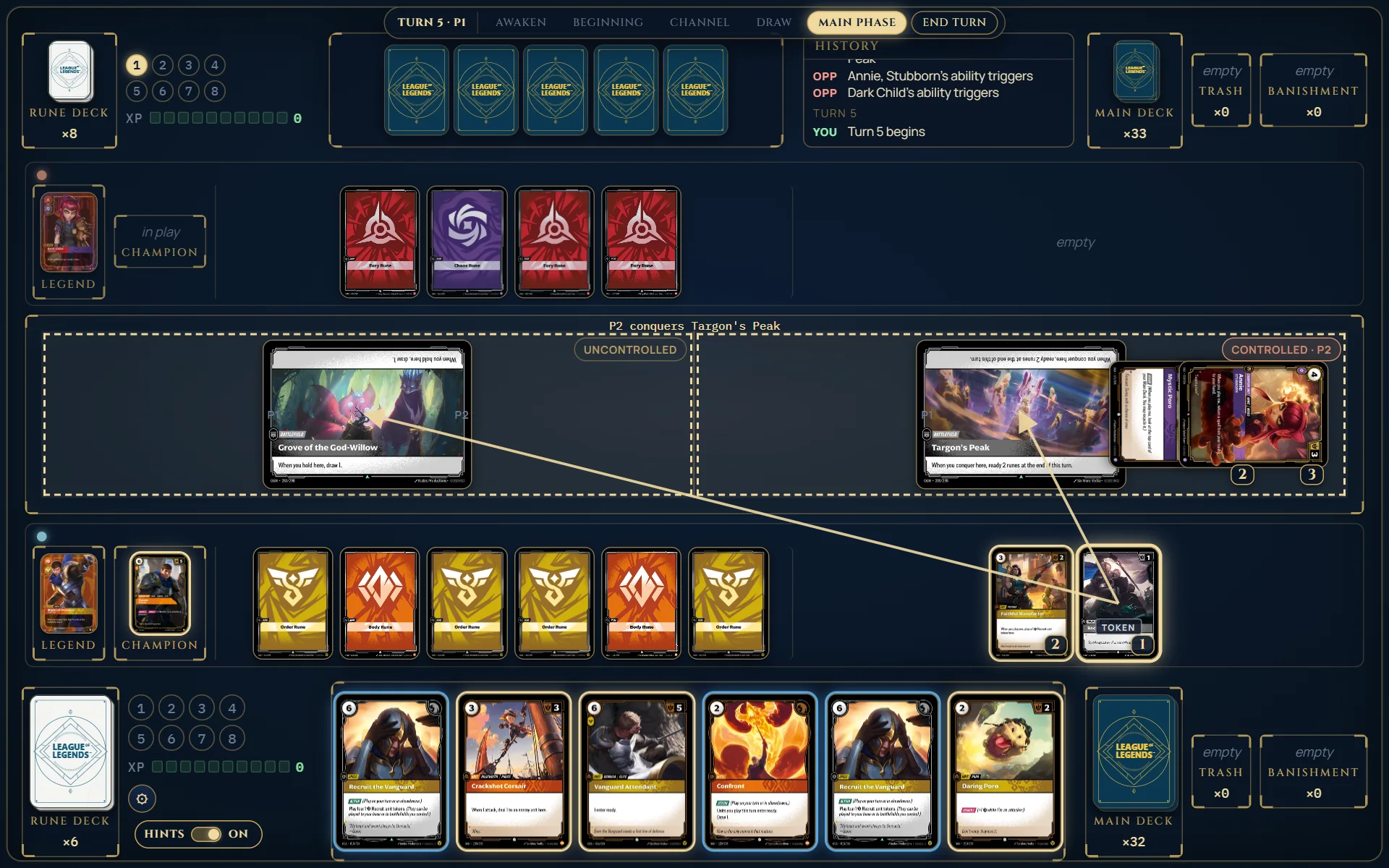
This is worth doing rather than moving them one at a time: units that arrive together fight one Combat, side by side. Sent one after another, each walks into its own Combat alone and can be picked off. Click a selected unit again to drop it from the group, or click empty space to clear the selection.
Why is a battlefield not lit?
Because at least one unit in your group cannot legally go there. Drop that unit from the selection and the destination comes back. A unit that is tapped, stunned, or already somewhere it cannot leave will not offer any destination at all.
Does moving tap my unit?
Yes — a Standard Move exhausts the unit, and it readies in your next Awaken. Units played straight to a battlefield, or moved by a card's own effect, follow what that card says instead.
Playing cards
Why won't this card play?
Hover it. A card you cannot play right now tells you why in its own words: the cost you cannot meet, the target it cannot find, or the timing that is wrong (a Reaction in your Main Phase, an Action during a Showdown). In your Main Phase the cards you can afford ring gold, spells ring blue, and the rest sit quiet.
How do I pay — what is Energy, what is Power?
The number in the circle is Energy; the coloured pips are Power. A rune in your base gives one Energy when it taps, or one Power pip of its domain when it is recycled to the bottom of your rune deck. With hints on the table works the payment out for you and only offers cards you can actually afford; you will sometimes be asked which way to pay when a card or your Legend offers a cheaper route.
What is the Chain, and when do I get to respond?
Anything played or triggered goes on the Chain and waits: both players get a Priority window, and the last thing added resolves first. When you have something you could play, the table stops and offers it; when you have nothing, it passes for you so the game keeps moving.
What does the Space bar do?
Space takes the default on whatever prompt is in front of you — pass priority, pass focus, done choosing, the “don't” of a you may, keep your mulligan hand. The button it would press carries a small Space badge, so you can always see what it will do. It never makes a mandatory choice, a payment or a move for you.
Can I take a play back?
While you are paying for something, yes — Cancel puts the card and the runes back. Once it is on the Chain it is played, as at a real table.
Fighting and scoring
How does combat damage work?
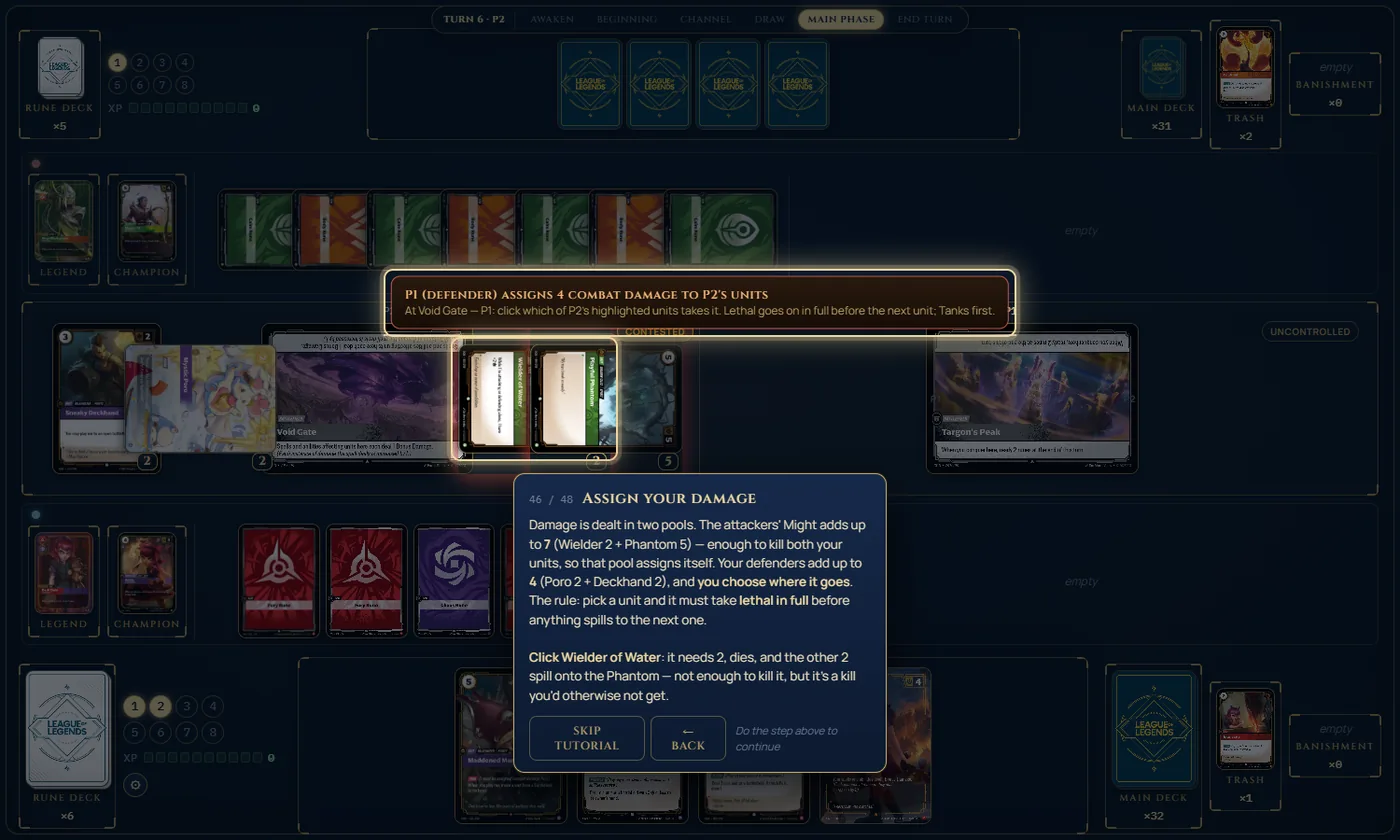
Each side deals damage equal to its units' Might, and you choose where your side's damage lands. Lethal damage has to be dealt in full to one unit before any spills onto the next. Damage sits on a unit for the rest of the turn and clears in the Ending Phase.
A unit walked onto an empty battlefield and nothing happened — why?
It did happen: a unit arriving alone at an open battlefield opens a Showdown, which gives your opponent a window to answer before control changes. If they pass, control is yours at the next cleanup. You will see the Showdown banner and the Pass button while it is open.
How do I win?
First to 8 points. You get 1 point for each battlefield you hold at the start of your turn, and 1 for conquering one. The last point is special: it has to come from a Conquer, or from holding when you have already scored every battlefield this turn — you cannot simply sit on a lead and tick over the line.
The four ways to sit down
| Tutorial | The whole game taught over one game, against a scripted opponent. About 15 minutes, no account needed. |
|---|---|
| Practice | Any deck against the built-in bot, at any hour. It plans its whole turn ahead, so it is a real opponent. |
| vs Custom Deck | On the Decks page: build a deck for the bot, save it, and the bot plays it against you. Saving needs an account. |
| Banned cards allowed | A format of its own, for any of the above: tick Banned cards allowed by the filters on the Decks page and cards on the Standard ban list may go in your deck. Practice and vs Custom Deck are then played in that format, and Normal's open lobby pairs you only with players who chose it too (two friends with an invite code are always paired, and play with banned cards allowed if either chose it). A deck saved with banned cards switches the format on when you load it; the table shows the format in its phase strip. |
| Normal | Another person: Invite a friend gives you a 6-character code to send, or you are seated with whoever is next. Each of you sees only your own hand, and there is a chat tab on the right edge. |
| Sandbox | A table for one, on the Decks page: no opponent, both seats yours to move by hand. Good for trying a line out, or teaching someone. |
What does “hints off” mean?
With hints on, the table keeps the rules: it pays costs, opens showdowns and combats, resolves the chain, scores, and lights up what you can do. With hints off it is a tabletop and nothing is enforced — you drag the cards, tap them, mark damage and count your own points, exactly as across a real table. The switch beside the settings cog flips it whenever you like, and says which way it is set.

In Practice, hints off means something slightly different: your turns are yours by hand, while the bot still plays its own turns by the rules with its hand hidden. End your turn and the table catches up on the board as it stands — showdowns, combats, scoring — then the bot takes its turn. In a Normal game both of you are by hand together; either player can turn hints back on.
Can I play on a phone or a tablet?
Practice works on a phone, held either way up — turn it mid-game if you like. The phone gets a table of its own: one strip along the top with the opponent’s hand peeking from the edge (tap it for their legend, champion, runes and piles) and the turn’s one button; the battlefields and your base filling the middle; and your hand peeking from the bottom, which you can pull up to see whole cards. It always plays with hints on — playing by hand, and the tutorial, are for a desktop, where there is room for them. On a tablet you get the full desktop table with finger-sized buttons.
| Tap | A unit or a card in hand: it is selected, and wherever it can go lights up. Tap a lit place to move or play it there. |
|---|---|
| Tap more units | With a unit selected, tap others to move several together in one go; tap one again to take it out. |
| Hold | Any card, for a moment: it opens full size to read, with the reason it can’t be played yet if that is why it is dim. |
| Hold, then drag | Carry the card to where you want it and let go — the places it may land light up as you move. |
On an iPhone, Add to Home Screen from Safari’s share menu gives the table the whole screen instead of leaving a strip to the address bar.
How do I move things by hand?
Drag a card where you want it, and right-click anything for its menu: tap or ready, damage, buffs, stuns, counters with whatever label you like, hide a card face down at a battlefield, send it to a pile. The Toolbox button holds the rest — draw, channel, shuffle, look through your deck, points, XP, dice, tokens, heal all, end turn. The by-hand guide walks through a whole turn.
Decks, tables and accounts
Do I need an account?
No. The tutorial, the deck builder and a game against the bot all work as you are. Signing in with Google only keeps your decks and your name between visits.
Why was I put in a queue?
Because every table was busy. The site runs on one small server during the alpha, so a limited number of games can run at once; you are given a place in line and a held seat the moment one frees up. The tutorial and the deck builder are never capped.
Can I share a deck?
Yes — Share in the builder makes a link anyone can open, and it opens as a copy they can edit. Every printed starter deck has a page of its own too.
Something went wrong in my game. What do I do?
Use the report box at the table (the settings menu). It sends the note along with the exact state of that game, which is what makes a fix possible — most of the entries on the updates page started as one of these. If the table is stuck, say what you were trying to do and it will usually be reproducible from the saved game.